


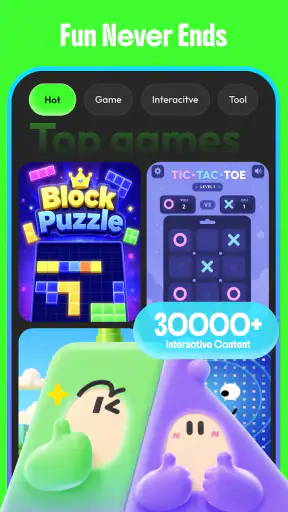
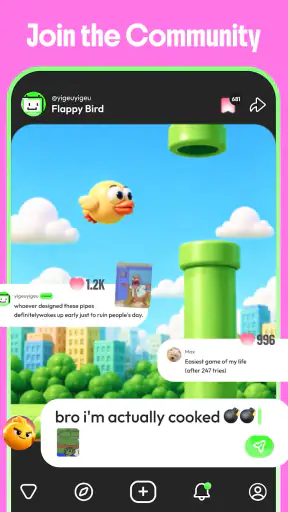
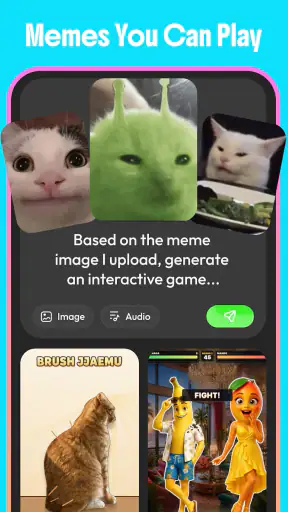

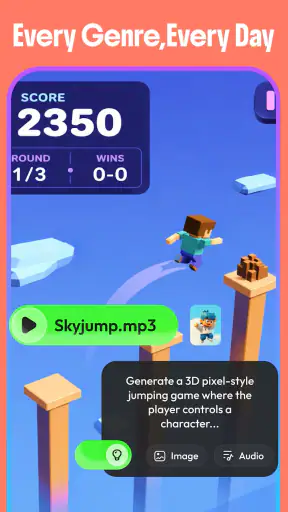
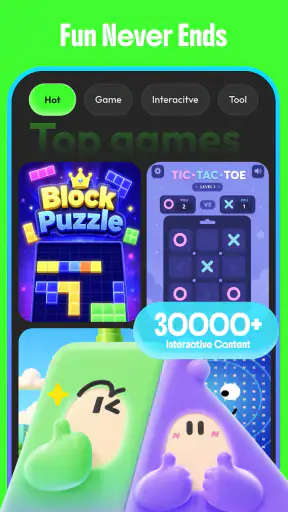
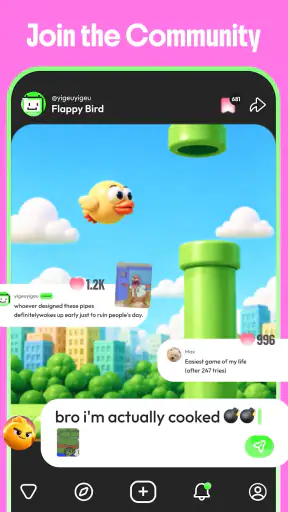
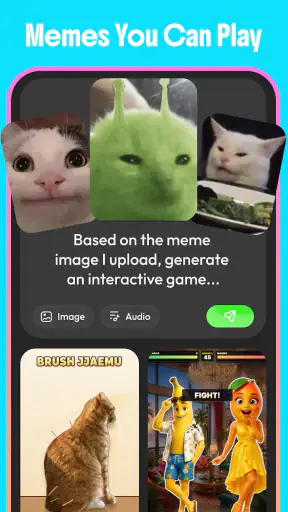
GameWave is the kind of entertainment app I open when I want something interactive but do not already have a specific game in mind. Developed by Skywork AI PTE.LTD., it focuses on creating and remixing AI games rather than presenting itself as a fixed library of conventional titles. That difference matters: I am not approaching it only as a player, but also as someone who can experiment with ideas and see how much fun comes from shaping the experience.
After spending time with it, my view is fairly clear. GameWave is best understood as a playful discovery tool for people who enjoy variety and experimentation, not as a replacement for a polished specialist game or a deep, established gaming platform. It is free, aimed at a Teen audience, and available on devices running Android 8.0 or later. Its current version is 2.1.0, and the app has already passed one million installs, which makes it easier to see why it has attracted attention in the entertainment space.
The most useful question is not simply whether it is “good.” The better question is whether you want a ready-made game with familiar rules, or whether you would enjoy the process of trying different ideas, remixing them, and accepting that some experiments will be more successful than others. My recommendation depends almost entirely on that distinction.
How I Decide Whether GameWave Is Worth Keeping
Start with the kind of entertainment you want
When I compare GameWave with other entertainment apps, I first consider how much control I want. Traditional mobile games usually give me a defined loop: a particular challenge, a progression path, or a recognizable genre. Streaming apps give me finished content. Social platforms give me a constant feed. GameWave sits in a less predictable space because its appeal comes from making and reshaping game-like experiences.
That makes the first few minutes important. If I want to relax with a familiar puzzle or immediately continue a long-running adventure, I may prefer a dedicated game. If I am curious about unusual concepts and enjoy testing what an AI-assisted creation can become, the app makes more sense. The value is not only in the final result; it is also in the process of turning a rough idea into something playable or shareable within the app’s own experience.
I also look at how much patience an app asks from me. A conventional title often teaches me one system and gradually adds complexity. A creative entertainment app can require more tolerance for uneven results. Some concepts may feel inventive, while others may be less engaging than expected. For me, that variability is part of the attraction, but it can also be the main source of frustration for anyone who wants consistently polished content.
Why the AI angle changes the experience
The AI element is most interesting when I treat it as a collaborator rather than a magic button. I get better results by beginning with a clear idea: the mood, the type of challenge, the intended audience, or the small twist that should make the concept memorable. A vague request can still be entertaining, but a focused starting point gives me something easier to judge and improve.
One practical habit helped me avoid wasting time: I separate the first version from the final version. Instead of expecting the initial creation to be perfect, I look for one strong element, such as an unusual premise or a fun interaction, and then use remixing to develop that part. This creates a more useful workflow than repeatedly starting from zero. It also makes the app feel less like a random generator and more like a sketchbook for playable ideas.
Another helpful approach is to keep the scope small. A compact idea with one clear objective is easier to understand and more enjoyable to test than an ambitious concept trying to combine several genres at once. This is one of the less obvious strengths of the app: it encourages me to think in experiments. I can ask whether one mechanic works before investing attention in a larger project.
A realistic everyday use case
Imagine having a short break after work. I might not have enough time or concentration for a campaign game, but I still want something more engaging than scrolling through videos. I can open GameWave, explore a concept, and then try adjusting it around a theme I find amusing. Perhaps I want a simple challenge with a strange setting, or I want to see how a familiar idea changes when its rules are altered. The session can be casual, with no commitment to a long progression system.
This also works well for a small group. Friends can suggest prompts, vote on the most entertaining concept, and take turns trying to improve it. The app becomes a conversation starter rather than a solitary pastime. I would not present every result as a finished game worth revisiting, but the act of comparing ideas can be more enjoyable than the individual creations themselves.
For parents and younger users, the Teen rating is worth taking seriously. I would not hand the app to a child without checking the experience personally and supervising how it is used. The creative format may be attractive to curious users, but “AI-generated” does not automatically mean every result will suit every age group or every family setting.
Where GameWave genuinely wins
The clearest advantage is flexibility. A normal game gives me a carefully selected experience; GameWave lets me move between concepts and participate in shaping them. That makes it especially appealing when I am bored with familiar genres but still want something game-related. The app’s identity is not tied to one particular style, so I can approach it differently from one session to the next.
It also lowers the barrier to creative experimentation. I do not need to begin with a full design document or understand professional game development before trying an idea. That does not turn me into a developer, and it does not guarantee a polished result, but it gives me a quick way to explore whether a concept has any entertainment value.
The remixing approach is another meaningful strength. I find it more rewarding to refine an interesting starting point than to treat each creation as disposable. A small change in theme, structure, or challenge can reveal whether the original idea was genuinely strong or merely sounded appealing. This makes the app useful for people who enjoy iteration, including writers, hobby designers, educators looking for playful concepts, and friends who like collaborative challenges.
There is also a useful psychological difference between playing and creating. When I play a standard game, I evaluate the rules from the outside. In GameWave, I become more aware of how a premise, objective, and interaction fit together. Even when the result is not especially fun, I learn something about why certain game ideas work better than others. That reflective quality is unusual in a general entertainment app.
The friction I would not ignore
The same openness that makes GameWave interesting can make it inconsistent. A user who expects every experience to have the balance, presentation, and depth of a dedicated commercial game may leave disappointed. The app’s strongest moments depend on finding a promising idea and being willing to shape it. If I do not want to invest that effort, the experience can feel shallow.
Discovery can also be less straightforward than in a focused catalog. With a specialist game platform, I usually know whether I am browsing action games, puzzles, strategy titles, or narrative adventures. GameWave’s broader creative direction is exciting, but it may take longer to find the kind of experience I personally enjoy. I have to accept some trial and error instead of expecting an immediately perfect recommendation.
Another trade-off is replay value. A conventional game often builds retention around progression, mastery, or a large content structure. GameWave’s replay value comes more from generating, remixing, and comparing ideas. That can last a long time for an inventive user, but it may fade quickly for someone who only wants a fixed game with increasingly difficult stages.
I would also avoid judging it solely by the first creation. AI-assisted tools can produce a promising concept that needs refinement, and the first result may not show the app at its best. At the same time, I would not keep forcing a weak idea through endless remixes. A useful rule is to make a few deliberate changes, identify whether the core remains enjoyable, and move on if it does not. The app rewards curiosity, but it should not become a chore.
How it compares with familiar alternatives
Compared with a traditional mobile game, GameWave offers breadth instead of a single polished identity. Choose the traditional option when you care about dependable controls, a carefully tuned difficulty curve, or a long-term progression system. Choose GameWave when you would rather explore several concepts and participate in their formation.
Compared with a streaming entertainment service, the difference is interaction. Streaming is better when I want to sit back and consume a finished show or film. GameWave is better when I want to make choices, test ideas, and feel involved. It is less suitable for passive relaxation, although a short creative session can still be a pleasant break.
Compared with a social feed, GameWave is less about endless updates and more about active play and experimentation. A feed can provide immediate novelty with almost no effort, while GameWave asks me to engage with the material. That extra effort is precisely why it can feel more satisfying, but it also means it is not the right substitute for every kind of downtime.
Compared with professional game-development software, GameWave is far more approachable for casual exploration, but I would not use it as a replacement for a serious production workflow. Someone building a commercial project needs specialized control, planning, testing, and asset management. GameWave is better for early ideas, playful prototypes, and personal experiments than for a full development pipeline.
Questions I would answer before installing
Is it suitable for someone who has never designed a game? Yes, as long as that person approaches it as experimentation rather than formal training. I found the most value in starting with simple concepts and learning through revision. The app can make creative play approachable, but it should not be mistaken for a complete course in game design.
Do I need to be highly creative to enjoy it? Not necessarily. Browsing and trying other ideas can still be entertaining, and remixing gives me a starting point when I do not have a strong concept of my own. Still, the experience becomes more rewarding when I contribute something specific instead of waiting passively for the app to surprise me.
Is it better for short sessions or long sessions? I think it works particularly well in short, repeatable sessions because each experiment has a natural stopping point. Longer sessions can be worthwhile when I am refining an idea, but the lack of a guaranteed progression path means I should not expect the same momentum as a conventional campaign game.
Will it replace my favorite games? In my experience, no. It complements them rather than replacing them. I use a specialist title when I want mastery and consistency, and I use GameWave when I want novelty or a creative change of pace. Users who want one main game may find it distracting rather than essential.
Is the free price enough to make it an easy recommendation? It certainly removes the biggest initial barrier. Since the app is free, I can try its creative approach without committing money first. However, “free” does not remove the need to decide whether the time and attention required by its experimental format are worthwhile for me.
The cost of switching from another entertainment app
Switching to GameWave is easy if I treat it as an additional tool. I do not have to abandon a favorite game or stop using a streaming service. The real cost is learning a different rhythm: instead of selecting a finished piece of content, I may need to explore, judge, and remix. That adjustment is small for curious users but meaningful for people who prefer instant entertainment.
The best way to test it is to set a clear goal for the first session. I might try to create one compact concept, remix it twice, and decide whether the changes improve it. This gives me a fairer evaluation than opening the app without a plan and expecting it to entertain me indefinitely. It also reveals quickly whether I enjoy the creative loop or merely like the idea of it.
For a group, the switching cost can be even lower because the app provides a shared activity. One person can suggest a premise, another can propose a twist, and everyone can discuss the result. For solo users, I recommend keeping a small list of themes or mechanics that interest me. That preparation makes the app feel more purposeful and avoids staring at a blank starting point.
Device compatibility is straightforward for users on Android 8.0 or newer. The app’s audience and maturity label still deserve attention, particularly in family situations. I would check the experience myself before recommending it to a younger person, and I would make sure the user understands that creative tools can produce results that need adult judgment.
My recommendation for different users
I recommend GameWave to people who enjoy novelty, playful design, and the satisfaction of improving an idea. It is a particularly good fit for someone who has wondered what makes a game concept work, but does not want to begin with complex development software. It can also suit friends looking for a lightweight creative activity rather than another competitive title.
I am more cautious about recommending it to users who want polished, predictable entertainment every time they open an app. If your ideal session means selecting a known genre, following a clear progression path, and mastering stable mechanics, a dedicated game will probably serve you better. If you want passive viewing, a streaming app remains the more natural choice.
Its public response is encouraging, with a 4.4 average from around 5.7 thousand ratings and 97 reviews shown in the app’s listing. Those figures suggest that the concept has found an audience, while the more than one million installs indicate meaningful reach. I still would not treat popularity as proof that the format suits everyone; the personal fit depends on whether you enjoy creating and remixing as much as playing.
After using it, I would keep GameWave installed as a flexible entertainment option, not as my only game. My clear recommendation is to try it if you want a free, AI-assisted space for quick game experiments and remixes, but skip it if you are looking for a finished, deeply structured gaming experience. The app is most successful when I bring curiosity, keep my ideas focused, and accept that discovery includes a few misses. That balance is its charm, and also the boundary of what it can realistically replace.


